
A part fails under warranty.
Your tech swaps the compressor or the motor, the system runs again, and the job gets closed.
Claimtorch finds the warranty claims on your closed jobs and builds a submit-ready packet for each one. Your office reviews it and clicks Submit. When the claim is approved, the credit posts to your distributor account.
Losing out on earned cash
When a part fails under warranty, the manufacturer owes you a credit for it. You only get that money if someone builds and files the claim in time. Here's how it slips away, in three quiet steps, on jobs you've already closed.
Your tech swaps the compressor or the motor, the system runs again, and the job gets closed.
Nameplate photo, serial numbers, the invoice number, the tech's note, and a different portal for every distributor. It's nobody's job, so it waits.
No one gets a reminder. The credit you were owed never shows up on your distributor account.
How our product works
Forward or CC the closed-job paperwork to your Claimtorch intake address, from Gmail or any email. Or connect ServiceTitan so finished jobs come over automatically. We need the nameplate photo and the tech's note; the invoice number can follow.
It spots the claims that qualify, chases the missing details, flags each claim window, and builds a submit-ready packet.
Review the packet and submit it on the distributor's portal. When the claim is approved, the credit posts to your distributor account.
Want us to make the click? Upgrade to Desk. On Desk, Claimtorch files and follows up on two paths only: Ferguson's public warranty form, with your written authority, and Carrier Enterprise, after your admin adds Claimtorch as its own user. Every other portal stays with your office. We never ask for a shared password.
What you get
No dashboard to learn. Every claim comes with a submit-ready PDF packet and its own status page, opened from a private link. Your office marks the claim submitted there, then records Approve or Reject when the answer comes back.
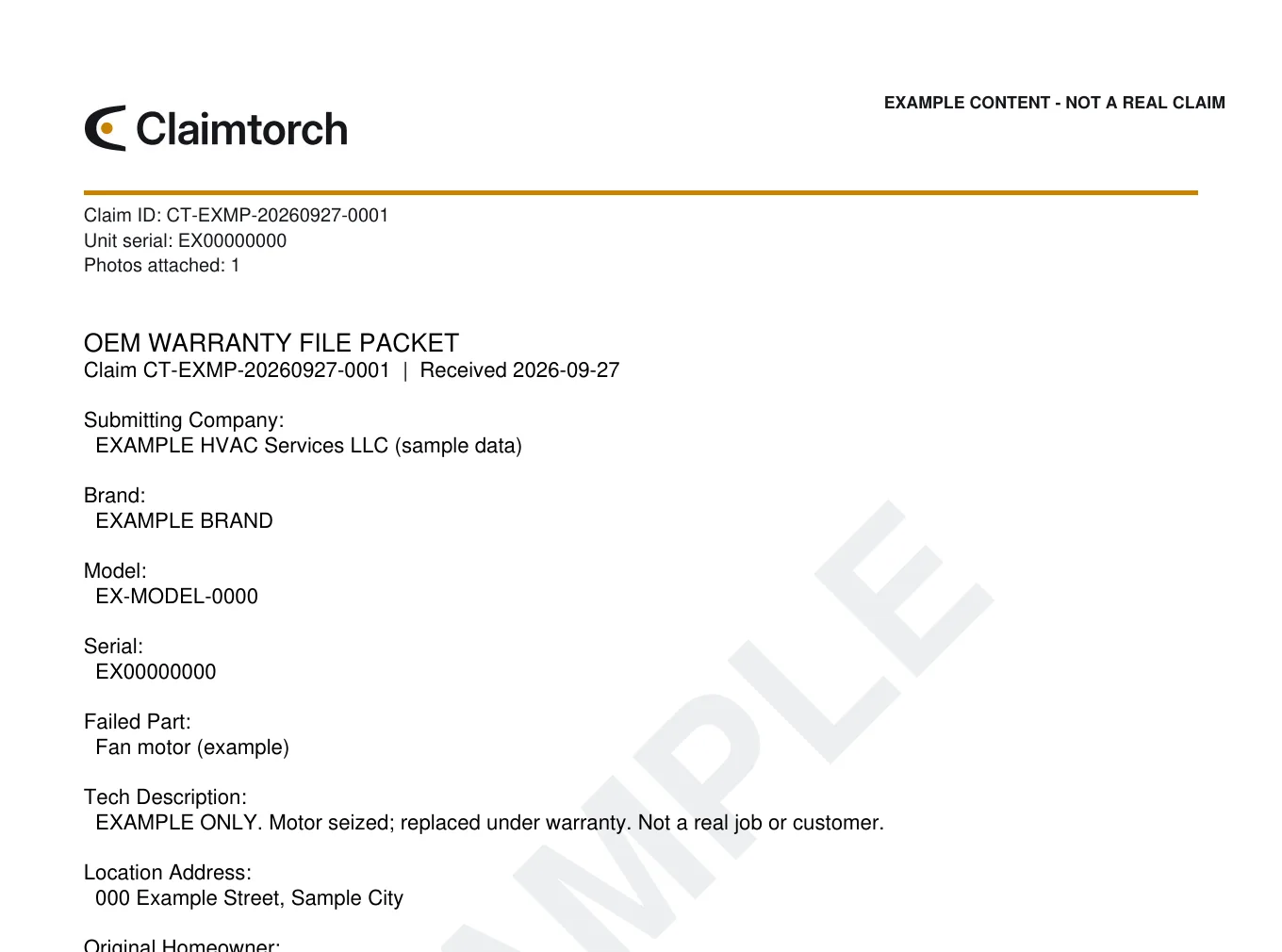
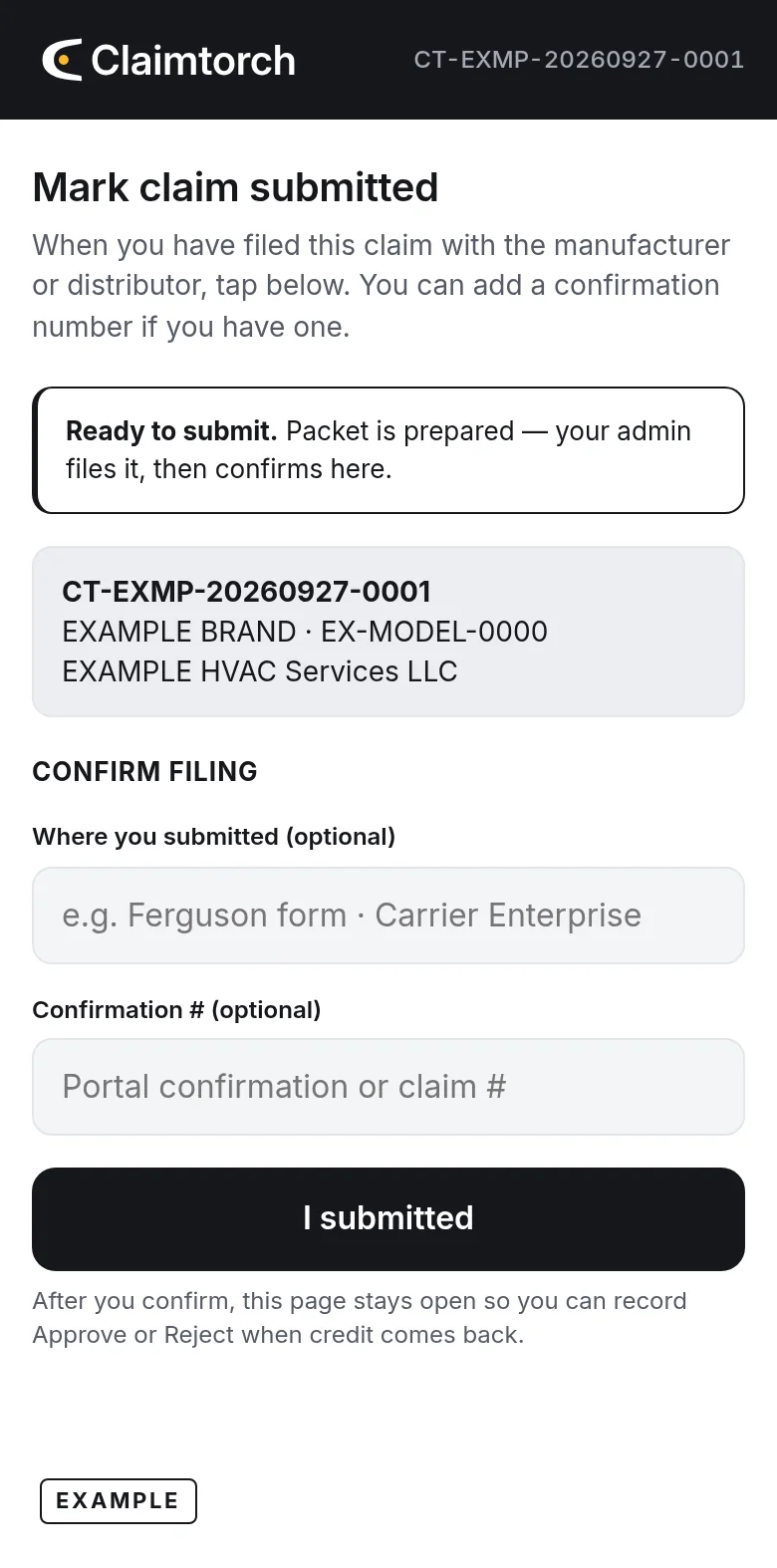
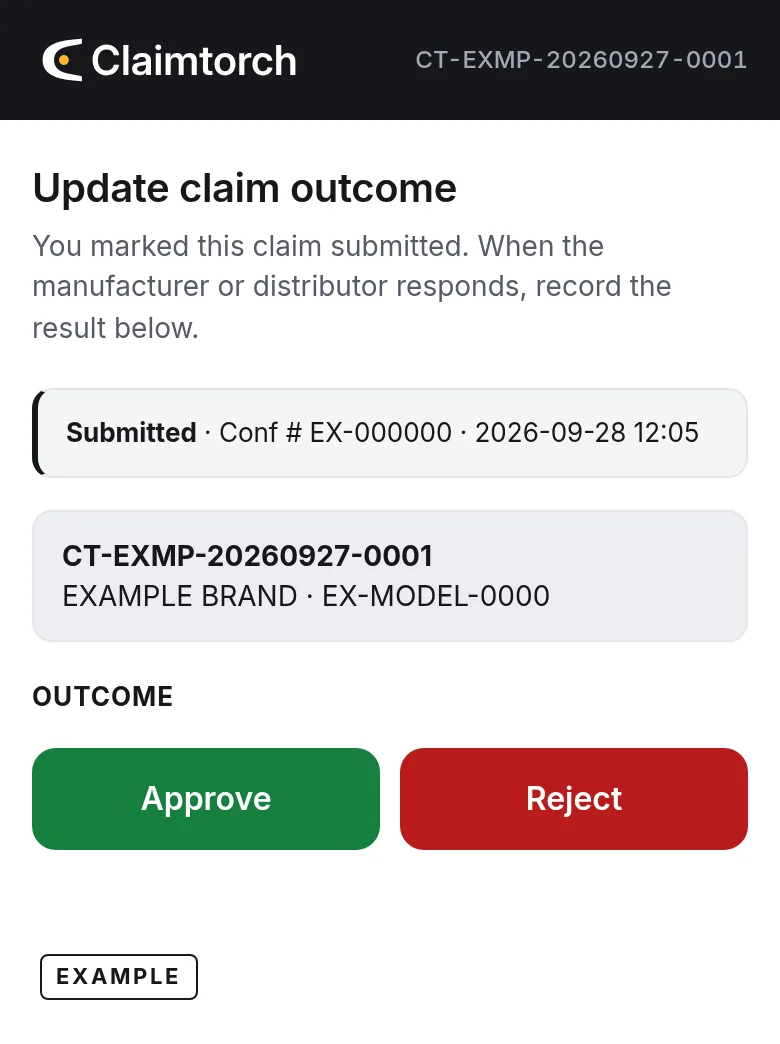
EXAMPLE DATA · claim CT-EXMP-20260927-0001, company, brand and model are made up. The layouts are the real Claimtorch packet and status page.
Built for HVAC
Claimtorch is built for residential & commercial HVAC contractors. We work on your side of the claim and never replace your distributor relationship.
Where each packet gets submitted
Ferguson's public HVAC warranty form, with your written authority and your account or invoice number. We never use your login.
Desk files only after your admin adds Claimtorch as its own user. Never a shared password.
We prepare the packet and flag the deadline. Your office clicks Submit and tracks the reply. This is how every claim works on Assist.
Money flowPart bought on your distributor accountclaim on that purchase's portalwhen it's approved, the credit posts to your distributor account
Your numbers
Every shop is different, so we won't guess. Put in what you see each month. The math is simple, and you can check every step.
Windows are tight
Ferguson wants the claim within 30 days of the repair.1 Daikin wants it within 45 days of the repair, and the failed part received within 30 days of filing, or the whole claim, parts and labor, is denied.2
Want real numbers instead of estimates? Send us a few recent closed jobs. We'll show you which ones have a claim worth building. The review is free.
Get a free closed-jobs reviewPlans
Desk is the upgrade: everything in Assist, plus we file on Ferguson's form and Carrier Enterprise. Talk to us for pricing.
Prep + ready to submit
Best for: every new client to start. No portal access needed.
We file on two paths only
Replaces Assist. It isn't a second plan on top.
Best for: shops that buy through Ferguson or Carrier Enterprise, once Assist has proven the packets.
We share pricing on a short call. Final terms are set in your written agreement.
Pick a handful of closed HVAC jobs. We'll show you which ones have a claim worth building. The review is free.